Fitness Tracking on iPhone Essential Tips to Stay Healthy
Published: 9 Nov 2025
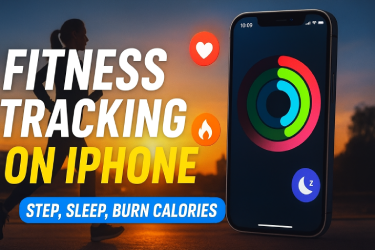
Fitness Tracking on iPhone is an easy way to keep an eye on your health and activity every day. You do not need to be an expert or go to a gym. Your iPhone can help you track steps, workouts, calories burned, and even your sleep. This makes it simple for anyone to stay active and healthy.
With Fitness Tracking on iPhone, you can see your progress clearly. For example, if you walk from home to school or the store, your iPhone counts every step. You can also track running or cycling workouts. The data shows you how much you move and how many calories you burn.
Even beginners can use it without any problem. The apps are easy to open and simple to understand. You can set small daily goals and check your progress at any time.
Example: If you walk 3,000 steps today, you can try 3,500 tomorrow. Your iPhone will track your steps and show a graph so you can see improvement.
This guide will show you step by step how to use your iPhone for fitness. You will learn how to track activity, set goals, monitor sleep, and stay motivated. By the end, you will know how to use Fitness Tracking on iPhone to make healthy choices every day.
Why Fitness Tracking on iPhone is Important
Tracking fitness on your iPhone helps you see your daily activity. It motivates you to move more and stay healthy. Many people do not realize how much they move in a day. Fitness Tracking on iPhone shows your progress clearly.
Example: If you walk from your home to the store every day, your iPhone counts your steps and shows how far you walked in a week. You can compare weeks to see improvement.
Tracking your fitness can also prevent health problems. Staying active reduces the risk of heart disease, diabetes, and obesity. Your iPhone makes it easy to watch your activity without spending extra money or time at the gym.
How to Set Up Fitness Tracking on iPhone
Technology makes Fitness Tracking on iPhone easy by recording your steps, workouts, and calories every day. Starting fitness tracking is easy. Follow these steps:
- Open the Health app on your iPhone.
- Allow Motion and Fitness access in settings.
- Open the Fitness app to see your activity rings.
- Set daily goals for steps, exercise, or calories.
- Review your progress every day to stay motivated.
Example: Start with five thousand steps a day. After one week, try increasing to six thousand steps. Small changes make a big difference.
Key Features of Fitness Tracking on iPhone
Your iPhone has several features for tracking fitness.
Steps and Distance
Your iPhone counts your steps and measures distance. This is useful for walking, running, or hiking. You can see how active you are during the day.
Calories Burned
The iPhone estimates calories burned based on your activity. This helps you understand how your movement affects your energy.You can use Fitness Tracking on iPhone to monitor workouts and calories.
Activity Rings
The activity rings in the Fitness app show three things:
- Move: Calories burned
- Exercise: Minutes of active movement
- Stand: Hours in which you stood and moved
Example: If your rings are not complete at the end of the day, you can take a short walk to finish them.
Workout Tracking
Your iPhone can track running, walking, cycling, yoga, and swimming. You can see your speed, time, and distance.
Heart Rate Monitoring
If you have an Apple Watch, your iPhone can record your heart rate. This helps you know if your workouts are effective. Fitness Tracking on iPhone also shows your heart rate and sleep patterns.
Sleep Tracking
The iPhone can monitor sleep duration and quality. This helps you understand your rest patterns. Better sleep improves fitness results.Small goals with Fitness Tracking on iPhone make it easy to stay healthy.
Using Apple Watch with iPhone
Apple Watch makes fitness tracking more accurate. It records heart rate, calories burned, and workouts in real time. When paired with your iPhone, all data syncs automatically.
Example: If you run five kilo meters with Apple Watch, your iPhone will show steps, calories, and heart rate for that run. You can also see weekly trends.
Tips to Maximize Fitness Tracking on iPhone
- Carry your iPhone every day to track all steps and distance.
- Connect Apple Watch for advanced tracking.
- Set small and realistic daily goals.
- Check your progress weekly.
- Combine tracking with healthy eating and hydration.
Example: Drink water before and after a walk. Your iPhone will show how walking plus hydration improves your energy.
Tracking Sleep, Heart Rate, and Calories
Monitoring sleep is important for health. The iPhone tracks hours and sleep quality. Heart rate shows how hard your body works during activity. Calories show energy used in daily movement.
Example: If your heart rate is low during exercise, you can adjust your workout to make it more effective.
Common Mistakes Beginners Make
- Not carrying the iPhone all day.
- Ignoring small activities like walking inside the house.
- Setting goals that are too hard to reach.
- Forgetting to review weekly progress.
- Not drinking enough water or eating properly.
Avoiding these mistakes helps you get the most out of fitness tracking on iPhone.
Weekly and Monthly Tracking for Long-Term Results
Check your weekly reports in the Fitness app. See how your steps, calories, and workouts change over time. Monthly tracking helps you notice long-term improvement.
Example: If you walked twenty thousand steps last week and twenty-five thousand this week, you are making progress. Your iPhone will show graphs to make this easy to understand.
Real-Life Examples
- Daily Walkers: Carry iPhone and aim for five thousand steps. Gradually increase each week.
- Beginners in Exercise: Start with ten minutes of walking or yoga. Track with Fitness app.
- Office Workers: Stand and move for at least one minute each hour. Check stand rings on iPhone.
- Runners: Track distance and calories. Adjust pace according to heart rate shown on iPhone.
These examples show how different people can use Fitness Tracking on iPhone in daily life.
Actionable Steps to Stay Consistent
- Set daily reminders to move.
- Review progress every evening.
- Adjust goals if you are too easy or hard.
- Celebrate small achievements.
- Combine walking, running, and light exercise for variety.
Consistency is more important than intensity. The iPhone helps you track every small step you take.
Conclusion
Fitness Tracking on iPhone is not just an app. It is a tool that helps you understand your daily activity. You can see how many steps you walk, how many calories you burn, and how long you exercise. You can even track your heart rate and sleep. This information shows you what you are doing right and what you can improve.
Using Fitness Tracking on iPhone motivates you to stay active. When you see your progress, you feel encouraged to move more. For example, if you walked 4,000 steps yesterday, you might try 5,000 steps today. Small changes like this help you build healthy habits.
Frequently Asked Questions About Fitness Tracking on iPhone
1. Can I track fitness without Apple Watch?
Yes. Your iPhone can track steps, distance, and calories without an Apple Watch. The iPhone uses built-in sensors to count your daily activity. You can see your progress in the Health app or Fitness app.
Tip: Even without Apple Watch, you can track walking, running, and general activity. If you want heart rate or more detailed workout data, Apple Watch adds that feature.
2. Is iPhone fitness tracking accurate?
Yes. The iPhone is accurate for steps, distance, and basic workouts. It uses motion sensors to record your movement.
Example: If you walk around your house or office, the iPhone will count your steps. For more precise data like heart rate, calories burned during high-intensity workouts, or swimming, Apple Watch improves accuracy.
Tip: Always carry your iPhone in your pocket or wear your Apple Watch during workouts for the best results.
3. Can kids use it?
Yes. Fitness Tracking on iPhone is safe and easy for children. You can adjust goals based on age and activity level.
Example: For a child, a daily step goal could be 3,000 steps. For teenagers, it could be 6,000 steps. The iPhone will track their activity and show progress in a simple way.
Tip: Make tracking fun. Encourage children to check their rings in the Fitness app and celebrate small achievements.
4. Can I track swimming?
Yes. The iPhone alone cannot track swimming accurately because it does not measure heart rate or water activity. But with Apple Watch, swimming workouts are tracked correctly.
Example: Your Apple Watch can count laps, measure duration, and estimate calories burned in the pool. After swimming, all data syncs to your iPhone automatically.
Tip: Make sure your Apple Watch model is water-resistant and set to swim mode for accurate tracking.
5. Can I track cycling or running?
Yes. Both the iPhone and Apple Watch can track running and cycling. The iPhone uses GPS to measure distance, speed, and route. Apple Watch adds heart rate and calorie data.
Example: If you go for a 5 km run, your iPhone will show total distance, time, and estimated calories. Apple Watch can also show your heart rate during the run.
6. Can I track my sleep with iPhone?
Yes. The iPhone and Apple Watch can track sleep patterns. It records hours slept and sleep quality. This helps you understand your rest and improve it.
Tip: Create a regular bedtime routine. Your iPhone will track consistency and give insights to improve sleep quality.
7. What if I forget to carry my iPhone?
Steps and activity will not be tracked if your iPhone is not with you.
Tip: Carry your iPhone in your pocket or use Apple Watch to track activity continuously. Check your rings at the end of the day to see your progress.
8. How do I set goals?
Open the Fitness app on your iPhone. Tap the activity rings. You can adjust your daily goals for steps, exercise minutes, and standing hours.
Example: Start with 5,000 steps and 10 minutes of exercise. Gradually increase the goal as you improve.






- Be Respectful
- Stay Relevant
- Stay Positive
- True Feedback
- Encourage Discussion
- Avoid Spamming
- No Fake News
- Don't Copy-Paste
- No Personal Attacks
- Be Respectful
- Stay Relevant
- Stay Positive
- True Feedback
- Encourage Discussion
- Avoid Spamming
- No Fake News
- Don't Copy-Paste
- No Personal Attacks
