Rogue Domain Controller best way to detect the risk
Published: 14 Nov 2025
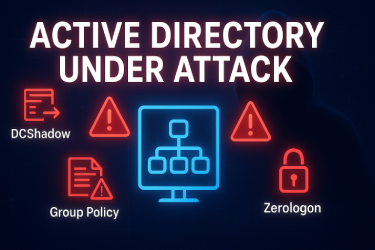
A rogue domain controller is a serious threat to any network. It is a fake or unauthorized domain controller that enters a network secretly. It can steal data, change user access and harm systems. Many businesses face this problem but do not know how to handle it. This guide explains everything in simple words. You will learn what a rogue domain controller is, how it enters your network, how to detect it, and how to stop it.
We will also include real-life examples and actionable tips. By the end of this guide, you will feel confident to protect your network. Advanced technology tools help find unusual system activity quickly.
What Is a Rogue Domain Controller
A domain controller is like the boss of your network. It keeps track of all users, passwords, and permissions. A rogue domain controller is a fake boss. It looks like a normal domain controller but it is controlled by someone unauthorized.
Example: Imagine a school where a fake teacher comes and keeps the student records. The real teacher does not know. The fake teacher can change grades and share records with outsiders. A rogue domain controller works in a similar way in a computer network.
Why a Rogue Domain Controller Is Dangerous
A rogue domain controller is very risky. Here are the main dangers:
- Data Theft – It can read all usernames, passwords, and private data.
- Unauthorized Access – It can give access to unauthorized users and block real users.
- Network Slowdown – It can consume resources and slow down systems.
- Security Breach – It can help hackers enter and move inside the network.
- Loss of Trust – Networks work on trust. A rogue domain controller breaks that trust.
Example: A small office network had a rogue domain controller. Employees could not log in, and their data was at risk. The admin noticed it after several hours of unusual activity. This shows how quickly problems can grow.
How Rogue Domain Controllers Enter Networks
Rogue domain controllers can enter networks in several ways:
- Weak Security Settings – Poor passwords and open network access make it easy.
- Configuration Mistakes – Admin mistakes can allow unauthorized devices to join.
- Stolen Devices – Stolen laptops or servers can be used to add rogue controllers.
- Malicious Insider – Sometimes an employee adds it for malicious purposes.
- Fake Servers – Hackers can use fake servers to act like a real domain controller.
Tip: Always check new devices before adding them to your network. Strong technology monitoring helps protect important data and systems.
Early Signs of a Rogue Domain Controller
It is important to detect it early. Watch for these signs:
- Slow login for users
- Wrong password errors even with correct login
- Unknown servers in network lists
- Changes in user permissions without reason
- Strange network delays or crashes
Example: In a medium-sized company, users complained about wrong password errors. The IT team checked the network and found a rogue domain controller trying to steal credentials. Early detection helped them stop it.
How to Detect a Rogue Domain Controller
Follow these simple steps to find it:
- Check Domain Controller List – Look for unknown entries in the list of controllers.
- Monitor Network Traffic – Unusual communication patterns may indicate rogue activity.
- Use Security Tools – Tools like Microsoft’s Active Directory monitoring can help.
- Check Event Logs – Event logs show login attempts and changes to system rules.
- Ask Users – Users can report unusual login errors or access problems.
Tip: Combine tools and human monitoring for best results.
How to Remove a Rogue Domain Controller
Once detected, act quickly:
- Isolate the Device – Remove it from the network immediately.
- Change All Passwords – Reset passwords for all users to prevent data misuse.
- Fix Security Settings – Strengthen network rules to prevent future attacks.
- Update Systems – Install updates to close security gaps.
- Train Staff – Teach employees how to spot suspicious activity.
Example: A retail company detected a rogue domain controller. They isolated it, updated passwords, and trained staff. The network was safe within hours.
Preventing Future Rogue Domain Controllers
Prevention is better than cure. Follow these tips:
- Strong Password Policies – Use complex passwords and change them regularly.
- Device Approval – Approve every new device before adding it.
- Network Monitoring Tools – Use automated alerts for unknown devices.
- Regular Backups – Keep backup copies of critical data.
- Event Log Checks – Check logs daily for unusual activities.
Example: A software company uses automated alerts. One day, a hacker tried to add a rogue domain controller. The alert notified the IT team immediately. They blocked it and the company stayed safe.
Tips for Small Businesses
Small businesses are often targets. Use these tips:
- Keep simple security rules
- Check all devices before connecting
- Train employees to report unusual activity
- Keep backups of critical data
- Update systems regularly
Even simple steps can prevent serious damage.
Final Words
A rogue domain controller is dangerous but easy to handle with the right steps. Early detection, quick action, and strong rules protect your network.
Start using simple monitoring, teach your staff, and keep your systems updated. Following these steps keeps your data safe.
Do you want me to create a checklist version of this blog for easier action steps? This can make it even simpler for readers to follow.
FAQs
Q1: Can a rogue domain controller steal all my data?
Yes, it can access usernames, passwords, and private files if not detected.
Q2: How quickly can it be detected?
With proper monitoring, it can be detected in minutes or hours depending on the tools used.
Q3: Can a hacker add it remotely?
Yes, if network settings are weak. Strong security can prevent remote access.
Q4: What is the best prevention?
Strong passwords, approved devices, regular monitoring, and employee training.
Q5: Is it common in small offices?
Yes, especially if security is weak or staff is untrained.






- Be Respectful
- Stay Relevant
- Stay Positive
- True Feedback
- Encourage Discussion
- Avoid Spamming
- No Fake News
- Don't Copy-Paste
- No Personal Attacks
- Be Respectful
- Stay Relevant
- Stay Positive
- True Feedback
- Encourage Discussion
- Avoid Spamming
- No Fake News
- Don't Copy-Paste
- No Personal Attacks
