What Risks Are Related to Digital Technology Use Today
Published: 10 Jan 2026
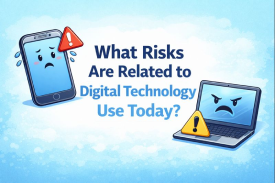
Digital technology is all around us. We use it for school, work, and fun. Phones, computers, tablets, and the internet make life easy. But digital technology has risks too. It can harm privacy, health, learning, and safety. Knowing these risks helps you stay safe every day.
Do you spend most of your day on your phone? Do you spend many hours online? If yes, it is important to understand these risks.
Table of Contents
1. Privacy Loss
Privacy means keeping your personal information safe. Personal information includes your name, address, phone number, emails, passwords, and photos. Digital technology makes it easy to share info online. But this can be dangerous if wrong people see it.
Real-Life Example
Imagine you post your home address online for delivery help. A stranger can see it and misuse it. Or you share your password with a friend. If the friend shares it, someone else can log in and steal your account.
Why It Happens
- Social media apps ask for personal info
- Online forms ask for details
- Weak passwords make accounts easy to hack
Tips to Stay Safe
- Use strong passwords with letters, numbers, and symbols
- Do not share passwords or PINs
- Avoid sharing personal info publicly
- Turn on privacy settings on apps
2. Online Scams Explained
Online scams are tricks by bad people to steal your money or personal information. They try to look real so you trust them. Scammers can use messages, emails, websites, or ads to fool people.
Why Online Scams Happen
People click on messages or links without checking them. They want free prizes, easy jobs, or cheap products. Scammers use this to steal money or personal details.
Real-Life Example
Imagine you get a message saying: “You won $1000! Click here to claim your prize.”
If you click the link:
- Hackers can steal your bank or card info
- Your device can get a virus or malware
- You can lose money or passwords
Common Types of Scams
- Fake prizes and contests – “Win a phone or money” messages
- Job offers asking for money first – fake work online
- Phishing emails – emails asking for passwords or account info
- Fake shopping websites – websites selling things that never arrive
Tips to Avoid Online Scams
- Never click unknown links in messages or emails
- Verify websites before entering personal info
- Use official apps and trusted stores
- Tell an adult if you are unsure about any message or link
Key Advice
Always think twice before clicking or sharing info online. Scammers want to trick you. Staying careful keeps your money and data safe.
3. Screen Addiction Explained
Screen addiction happens when someone spends too much time on digital devices. Phones, tablets, and computers are fun, but too much use can harm focus, learning, and health.
Why It Happens
Games, social media, and videos are designed to keep you engaged. Sometimes people forget to take breaks. Over time, this becomes a habit, which is screen addiction.
Real-Life Example
A student plays mobile games all night. They wake up tired and cannot concentrate on schoolwork. Their grades start falling because they are distracted and sleepy.
Signs of Screen Addiction
- Checking your phone constantly even without notifications
- Feeling restless or anxious when offline
- Skipping meals or sleep to use apps or games
- Losing interest in outdoor or social activities
Tips to Reduce Screen Addiction
- Set time limits for games, apps, and social media
- Take breaks every hour from screens
- Do outdoor activities like walking, sports, or playing with friends
- Keep phones away during meals, study, and bedtime
Key Advice
Screen time is okay in small amounts. Too much harms your body, mind, and learning. Balance your time to enjoy benefits safely.
4. Health Issues Explained
Using screens too much can hurt your eyes, body, and mind. Phones, tablets, and computers are helpful, but long hours cause health problems.
Real-Life Example
A child studies on a laptop for hours. They start feeling eye strain and headaches. Sleep is poor. Back and neck pain begin. Over time, their body and focus are affected.
Common Health Problems from Screen Overuse
- Eye strain and blurred vision – looking at screens too long hurts eyes
- Headaches and dizziness – caused by bright screens or bad posture
- Back, neck, and shoulder pain – sitting in one position for hours
- Poor sleep patterns – screens affect melatonin, a sleep hormone
Tips to Stay Healthy While Using Screens
- Follow the 20-20-20 rule: Every 20 minutes, look at something 20 feet away for 20 seconds
- Keep screens at eye level to avoid neck and back pain
- Take short breaks every hour and stretch your body
- Avoid screens one hour before sleep for better rest
Key Advice
Using screens safely protects your health. Small changes in habits can prevent eye strain, headaches, and sleep problems.
5. Fake News Explained
Fake news is false or misleading information shared online. It spreads fast because many people share without checking if it is true. Fake news can cause confusion, fear, or even danger.
Real-Life Example
A WhatsApp message says: “Drink this juice and cure all diseases.” Many people believe it. This is dangerous because the information is false and can harm health if followed.
How Fake News Spreads
- Social media shares without checking the facts
- Clickbait headlines that trick people into reading or believing
- Messages forwarded without verifying the source
Tips to Avoid Fake News
- Check news on trusted websites before believing or sharing
- Ask adults or teachers if you are unsure
- Do not forward unknown messages without verification
- Look for official sources like government or school websites
Key Advice
Always think before sharing anything online. Fake news spreads quickly, but careful checking can stop it.
6. Cyberbullying Explained
Cyberbullying means bullying someone online. People use messages, comments, posts, or social media to hurt others. It can make someone feel sad, scared, or unsafe.
Real-Life Example
A student posts a picture online. Some people leave mean comments or make fun of it. The student feels upset and avoids talking to friends.
Signs of Cyberbullying
- Receiving mean or threatening messages
- Seeing hurtful comments on posts or pictures
- Feeling anxious, scared, or sad after using the internet
Tips to Handle Cyberbullying
- Block and report the people who bully you
- Do not respond angrily; it can make things worse
- Tell a trusted adult like a parent, teacher, or guardian
- Keep screenshots of messages as proof
Key Advice
Cyberbullying can happen to anyone. Speaking up and staying calm is important. Adults can help you stay safe online.
7. Data Theft Explained
Data theft happens when hackers steal your personal information. This can include photos, passwords, messages, or even bank details. If someone gets this info, they can misuse it or steal your money.
Real-Life Example
A person uses “12345” as a password. Hackers guess it and steal money from their account. This is data theft because weak security made it easy for them.
How Data Theft Happens
- Weak passwords – easy to guess or common ones like “12345” or “password”
- Public Wi-Fi networks – hackers can access your device on unsafe networks
- Malware and phishing emails – fake messages trick you into giving info
Tips to Prevent Data Theft
- Use strong passwords with letters, numbers, and symbols
- Enable two-factor authentication for extra security
- Avoid public Wi-Fi when using sensitive accounts like banks
- Keep apps and systems updated to block hackers
Key Advice
Protecting your data is very important. Strong passwords, safe networks, and careful online behavior keep your information secure.
8. Social Isolation Explained
Social isolation happens when someone spends too much time online and less time with family or friends. Digital devices are fun, but too much screen time can make people feel lonely.
Real-Life Example
A teen plays video games every night. They stop talking to friends and do not help at home. Over time, they feel lonely and miss social connections.
Why It Happens
- Spending hours on games, social media, or videos
- Ignoring family time or outdoor activities
- Choosing online interactions over real-life friends
Tips to Avoid Social Isolation
- Schedule family and friend time every day
- Balance screen and real-world activities like sports or reading
- Join clubs or community groups to meet people
- Take breaks from online games and social media
Key Advice
Screens are fun, but real-life connections are important. Balancing both helps you feel happy, connected, and supported.
9. Loss of Focus and Learning Problems Explained
Using digital devices too much can make students lose focus. Phones, tablets, and computers are helpful tools, but they can also distract students from studying. Attention span decreases, and homework or learning suffers.
Real-Life Example
A student checks their phone every five minutes while studying. They keep getting distracted by messages and notifications. As a result, homework is not finished on time, and learning is affected.
Why It Happens
- Constant notifications from apps and social media
- Temptation to play games or watch videos
- Studying in front of screens instead of a quiet space
Tips to Improve Focus
- Keep phones away while studying
- Use timers to finish tasks in set periods
- Take short study breaks to rest the brain
- Reward yourself after completing homework or tasks
Key Advice
Digital devices are helpful if used wisely. Removing distractions and managing time properly improves focus, learning, and grades.
10. Financial Risks Explained
Digital technology can sometimes cause financial problems. Scammers, fake websites, and phishing attacks can trick people into losing money. Online shopping, banking, and transactions are convenient but risky if not careful.
Real-Life Example
A person orders a phone from an unknown website. The phone never arrives, and the money is lost. This happens because the website was fake and the person did not check its credibility.
Why It Happens
- Buying from untrusted or fake websites
- Clicking scam links asking for payment
- Believing offers that look too good to be true
Tips to Stay Safe Online
- Buy only from trusted websites or official stores
- Read reviews from other customers before purchasing
- Use secure payment methods like official gateways or PayPal
- Avoid deals that promise too much or seem fake
Key Advice
Online shopping and payments are easy but must be safe. Always check the website, payment method, and reviews before buying. Being careful prevents money loss.
Conclusion
Digital technology is very useful and fun. It helps us learn, work, and stay connected. But it also comes with risks. These include privacy loss, online scams, screen addiction, fake news, cyberbullying, data theft, social isolation, loss of focus, and financial problems.
The good news is you can stay safe if you use technology carefully.
How to Stay Safe
- Protect your privacy by using strong passwords and safe settings
- Avoid online scams by checking messages, links, and websites
- Limit screen time to prevent addiction and health issues
- Check news sources to avoid fake information
- Take care of your health with breaks, exercise, and proper sleep
- Use trusted websites for shopping and online payments
- Spend time with family and friends to stay connected and happy
Remember, technology is a tool. It can make life easier, fun, and smart if used wisely. Stay careful, stay healthy, and enjoy all the benefits safely.
FAQs: What Risks Are Related to Digital Technology Use Today
Q1: What are the main risks of using digital technology?
A1: The main risks include privacy loss, online scams, screen addiction, fake news, cyberbullying, data theft, social isolation, loss of focus, and financial problems.
Q2: How can I protect my privacy online?
A2: Use strong passwords, privacy settings, and avoid sharing personal information. Always think before posting anything online.
Q3: What is screen addiction and how can I avoid it?
A3: Screen addiction is spending too much time on devices. To avoid it, set time limits, take breaks, and do outdoor activities.
Q4: How do I recognize online scams?
A4: Online scams include fake prizes, phishing emails, job offers asking for money, and fake websites. Always check links and verify sources.
Q5: How can I spot fake news online?
A5: Check trusted websites, ask adults or teachers, do not forward unverified messages, and look for official sources.
Q6: What is cyberbullying and what should I do?
A6: Cyberbullying is bullying online through messages or posts. Block bullies, do not respond angrily, tell a trusted adult, and keep proof.
Q7: How can I prevent data theft?
A7: Use strong passwords, enable two-factor authentication, avoid public Wi-Fi, and keep apps updated to stay safe.
Q8: Can digital technology affect my health?
A8: Yes, too much screen time can cause eye strain, headaches, back pain, and poor sleep. Take breaks and follow healthy screen habits.
Q9: How does digital technology affect learning?
A9: Excessive phone or device use reduces focus and attention, making homework and learning harder. Keep devices away while studying.
Q10: How can I stay safe online while shopping or using money online?
A10: Buy from trusted websites, read reviews, use secure payments, and avoid deals that look too good to be true.






- Be Respectful
- Stay Relevant
- Stay Positive
- True Feedback
- Encourage Discussion
- Avoid Spamming
- No Fake News
- Don't Copy-Paste
- No Personal Attacks
- Be Respectful
- Stay Relevant
- Stay Positive
- True Feedback
- Encourage Discussion
- Avoid Spamming
- No Fake News
- Don't Copy-Paste
- No Personal Attacks
