What is a Interpreter Best Easy Definition
Published: 8 Nov 2025
Introduction
Have you ever wondered how a computer understands what you tell it to do? Every program you write must be translated into something the computer can understand. This is where an interpreter comes in. An interpreter is a tool that reads a program line by line and executes it immediately. It helps programmers see the results of their code quickly. This guide will explain what an interpreter is, how it works, and why it is important for beginners. By the end you will understand it easily and clearly.
What is a Interpreter in Simple Words
In the simplest words an interpreter is like a translator. Just like a human translator helps two people speak different languages an interpreter in a computer helps the computer understand the instructions you give. The computer cannot understand English or human language. It only understands binary numbers. The interpreter reads your code line by line and converts it into instructions the computer can follow.
For example if you write a program in Python the interpreter reads the first line executes it then reads the next line and executes that. This makes it easy to find mistakes and correct them.
Daily Life Example of an Interpreter
Think about a person who is visiting a foreign country. They do not speak the local language. They have a translator who listens to their words and immediately says the same words in the local language. The visitor can then communicate easily. In the same way an interpreter in programming takes your instructions and translates them into something the computer understands immediately.
How Does an Interpreter Work
An interpreter works step by step. First it reads the first line of the program. Then it checks for any errors. If there are no errors it executes that line. Then it moves to the next line. This process continues until the program is complete. Because the interpreter works line by line you can see the results immediately. This makes debugging easier.
Steps of how an interpreter works:
- Read a line of code
- Check for mistakes or errors
- Execute the line
- Show the result
- Move to the next line
This process repeats until all lines of the program are executed.
Examples of Interpreted Languages
Some programming languages are interpreted. Python is a very popular interpreted language. JavaScript is also interpreted. PHP is another example. These languages do not need a separate compilation step. The interpreter reads the code and runs it immediately.
If you are learning programming Python is a good choice. You can write a line of code and see the result immediately. This helps beginners understand programming better.
Interpreter vs Compiler
Sometimes people get confused between an interpreter and a compiler. Both are used to translate code but they work differently.
A compiler reads the entire program first then converts it into machine language. It creates a file that you can run later. A compiler shows all errors at once after reading the program.
An interpreter reads the program line by line. It executes each line immediately. It shows errors as they happen.
| Feature | Interpreter | Compiler |
|---|---|---|
| Execution | Line by line execution | Whole program execution |
| Error Checking | Shows error immediately | Shows all errors at once |
| Speed | Slower execution | Faster execution |
| Learning | Easy for beginners | Slightly difficult for beginners |
Note: If you are a beginner using an interpreter is easier. You can test small pieces of code and learn programming faster.
Advantages of Using an Interpreter
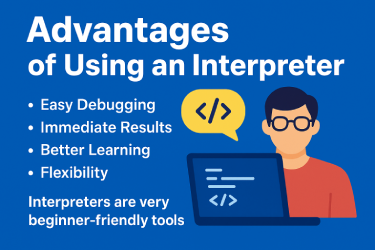
Interpreters are very helpful, especially for beginners. They make learning programming easier and faster. Here are the main benefits explained clearly:
1. Easy Debugging
Since an interpreter runs code line by line, you can find mistakes quickly. If one line has an error, the interpreter stops and shows it immediately. This makes fixing problems easy.
Example: Imagine writing a recipe step by step. If you add salt instead of sugar, you notice it right away and correct it before continuing.
2. Immediate Results
You do not have to wait for the whole program to compile. The interpreter gives results instantly. This helps beginners see if their code works or not.
Example: If you write a line in Python to add two numbers, the interpreter shows the result immediately without waiting for the whole program.
3. Better Learning
Beginners can test code in small pieces. This makes it easy to understand how each line works. You learn faster by experimenting and seeing results immediately.
Example: You can write a small program to print your name first, then try a line to calculate age. You see each part working step by step.
4. Flexibility
You can change the code anytime and run it again without compiling the whole program. This makes experimenting easy.
Example: If you make a small mistake in a story you are writing, you can change that sentence without rewriting the entire story.
Interpreters are very beginner-friendly tools. They help test, learn, and correct code easily. Even experienced programmers use interpreters for small tasks and quick testing.
Disadvantages of Using an Interpreter
Interpreters are very useful for learning and testing programs. They make coding simple and easy to understand. However, they also have some limitations that you should know.
1. Slower Execution
An interpreter reads and runs code line by line. This is different from a compiler that translates the entire program at once. Because of this line-by-line processing, interpreters run programs more slowly. If you have a very long or complex program, it may take more time to execute.
2. Needs Interpreter Software
To run code using an interpreter, you must have the interpreter installed on your computer. For example, to run Python code, you need the Python interpreter. Without this software, your code will not work. This is important to remember if you move your program to a new computer.
3. Not Ideal for Large Programs
Interpreters are perfect for small or medium programs. But for very large programs a compiler is better. A compiler translates the whole program at once and creates a file that runs faster. Interpreters can become slow when handling big projects because they process the code step by step.
Even with these limitations interpreters are still the best choice for beginners. They help you learn faster, test small pieces of code easily, and find mistakes quickly.
Even with these disadvantages interpreters are excellent for learning and testing programs.
Real-Life Example in Programming
Imagine a chef following a recipe step by step. The chef reads the first step prepares the ingredients then moves to the next step. If something is wrong the chef fixes it immediately. This is similar to how an interpreter works. Each step is executed immediately and mistakes can be corrected.
Tips for Beginners Using an Interpreter
- Start with small programs to understand how the interpreter works.
- Test each line of code before writing the next one.
- Use Python or JavaScript as your first interpreted languages.
- Pay attention to error messages. They tell you exactly what went wrong.
- Practice writing and running programs daily to improve your skills.
These simple steps help beginners learn programming faster and understand how computers process code.
Why Interpreters Are Important
Interpreters are important because they make programming simple and fast for beginners. They help in learning programming concepts easily. Interpreters are also used in web development and scripting. Without interpreters it would be very difficult to test code quickly.
Conclusion
An interpreter is a tool that translates code line by line and executes it immediately. It is like a translator in real life. Interpreters make learning programming simple and fast. Beginners can test small pieces of code, find errors quickly and see results immediately. Python and JavaScript are popular interpreted languages. Understanding interpreters is the first step to becoming a good programmer.
By practicing with an interpreter you can improve your coding skills, understand errors easily and learn faster. Interpreters are a beginner friendly way to start programming. They are simple, flexible and very useful.
Common Questions About Interpreters
1. Can I run Python without an interpreter
No, Python needs an interpreter to run any code. The interpreter reads your Python instructions line by line and converts them into machine language that the computer understands. Without an interpreter, your code will not work at all. This is why every Python program requires an interpreter to execute.
2. Is JavaScript interpreted
Yes, most JavaScript code is interpreted. Modern web browsers have built-in interpreters that read JavaScript code and run it immediately. This allows websites to respond to your actions quickly without needing extra steps. Because of this, JavaScript is very popular for web development.
3. Are interpreters only for beginners
No, interpreters are not just for beginners. Professional programmers also use interpreters for testing, scripting, and small tasks. For example, a developer may test a few lines of code using an interpreter before adding it to a large project. Interpreters help save time and find mistakes quickly.
4. Can an interpreter run large programs
Yes, an interpreter can run large programs, but it may be slower compared to a compiler. This is because the interpreter processes the code line by line while a compiler translates the entire program at once. For very big projects, developers often prefer compilers for faster execution.
5. Why should beginners use an interpreter
Beginners benefit from interpreters because they provide immediate feedback. You can write one line of code, run it, and see the result instantly. This helps you understand how each part of the program works. You can correct mistakes quickly and learn programming faster.



- Be Respectful
- Stay Relevant
- Stay Positive
- True Feedback
- Encourage Discussion
- Avoid Spamming
- No Fake News
- Don't Copy-Paste
- No Personal Attacks
- Be Respectful
- Stay Relevant
- Stay Positive
- True Feedback
- Encourage Discussion
- Avoid Spamming
- No Fake News
- Don't Copy-Paste
- No Personal Attacks
