Wireless Mouse How to Connect Easily and Fast
Published: 30 Nov 2025
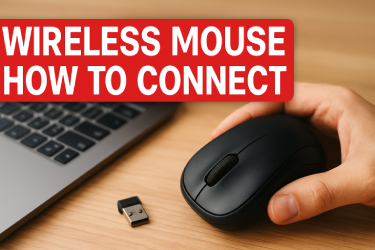
A wireless mouse helps you work in a simple and easy way. You feel free when you move it because there is no wire that pulls your hand. Many people buy a wireless mouse but they feel confused when they try to connect it. You may also think about this problem. You may ask how to use a wireless mouse. You may think about how to pair it. You may worry if it will work on your computer. This guide will help you learn everything in a clear and easy way. You will learn how a wireless mouse works. You will learn how to set it up. You will learn how to fix simple problems. This guide keeps the process simple and smooth. You understand each step with real life examples. You feel ready to follow Wireless Mouse How to Connect and you feel ready to use your mouse in a fast and easy way.
Table of Contents
What is a Wireless Mouse
A wireless mouse is a small device that helps you move the pointer on your screen. It works without wires. It gives you more space on your table. You can place your hand in a more relaxed way. You can sit back and use it in comfort. Many people use it in offices. Many students use it in their rooms. Gamers also use it because it moves smoothly. A wireless mouse comes in two main types. One uses a USB receiver. The other uses Bluetooth. Both types work very well. Both are easy to connect.
Why People Like a Wireless Mouse
People like a wireless mouse because it helps them work fast. It makes the table look clean. It keeps your hand free. A friend of mine uses a wireless mouse in his office. He has a small table. When he used a wired mouse the wire got stuck under books. He got annoyed. Then he bought a wireless mouse. Now his work is smooth. He moves the mouse without stress. You will feel this comfort too. You only need to learn how to connect your wireless mouse easily and fast.
Before You Start Connecting
You need to check some simple things before you begin.
Check the Batteries
Most wireless mice use batteries. These batteries help the mouse turn on. If the batteries are weak the mouse will not connect. So open the back cover and place good batteries.
Check the USB Ports
If your mouse uses a USB receiver you need a free USB port. A USB port is a small slot on your computer. It is usually on the left or right side of your laptop. It is on the front or back of your PC. Make sure the port is clean. Make sure nothing is stuck inside.
Check Bluetooth
If your mouse uses Bluetooth then your computer must have Bluetooth. Most laptops have Bluetooth. Many PCs also have it. You can open settings and check it. When Bluetooth is on you can connect your wireless mouse easily and fast.
How a USB Receiver Mouse Connects
A USB receiver mouse is the most common type. It comes with a very small device. The device is the receiver. It sends signals from the mouse to the computer. Here is how you connect it.
Step 1 Insert the USB Receiver
Take the receiver and put it into a USB port. The receiver is very small. You may think it will fall but it stays firm inside the port.
Step 2 Turn on the Mouse
Press the power button under your mouse. A small light may blink. This light shows the mouse is on.
Step 3 Let the Computer Detect the Mouse
Your computer will detect it in a few seconds. You may feel the pointer move. That means the mouse is ready.
A boy in my class once bought a USB mouse. He did not know how to use it. He thought he needed to install heavy software. I told him to plug in the USB receiver and turn on the mouse. He followed the steps. The mouse started working in seconds. He smiled and said it was very easy.
How a Bluetooth Mouse Connects
A Bluetooth mouse works without a receiver. It connects directly to your computer.
Step 1 Turn on Bluetooth
Open your computer settings. Search for Bluetooth. Turn it on. A small icon on your screen will show Bluetooth is active.
Step 2 Turn on the Mouse
Press the power button. Many Bluetooth mice have a connect button too. Press it to start pairing.
Step 3 Search for the Mouse
Your computer will show a list of devices. Look for your mouse name. It may show as Wireless Mouse. It may show a model number. Click on the name.
Step 4 Wait for the Pairing
The computer will pair the mouse. This takes a few seconds. When it connects you can move the pointer. Now your Bluetooth wireless mouse works.
A friend used a Bluetooth mouse in his hostel. He often watched movies from his bed. He placed the laptop on a chair. He kept the mouse in his hand and controlled the laptop from far away. This shows how useful a wireless mouse is.
Simple Problems You May Face
Sometimes the mouse does not connect. Do not worry. Small problems are easy to fix.
Problem 1 The Mouse Does Not Turn On
This happens when the batteries are weak. Replace them with new ones.
Problem 2 The Pointer Does Not Move
Remove the USB receiver and insert it again. Clean the USB port. Keep the mouse close to the receiver.
Problem 3 Bluetooth Does Not Detect the Mouse
Turn Bluetooth off and then on. Restart your computer. Press the connect button again.
Problem 4 The Mouse Stops Working Suddenly
This happens if the surface is too shiny. Place a mouse pad. It helps the mouse read movement.
Tips to Make Your Wireless Mouse Work Better
• Keep the mouse close to the receiver
• Keep the mouse close to the Bluetooth source
• Clean the sensor with a soft cloth
• Keep the sensor free from dust
• Use a good flat surface
• Use a mouse pad for smooth movement
• Save battery by turning off the mouse when not in use
Real Life Example
My cousin works from home. He moves around his room with his laptop. He uses a wireless mouse because it gives him more freedom. He shifts from his bed to his table. He carries the mouse easily. He never worries about wires. He said that learning how to connect his wireless mouse easily and fast changed his work style. This can help you too. You only need to follow the simple steps in this guide.
Why You Should Use a Wireless Mouse
• It is easy to move because there is no wire
• It works well on small tables and gives you comfort
• It is good for travel because it is light and simple
• It helps in study and work and keeps your hand relaxed
• It helps gamers enjoy fast and smooth actions
Final Thoughts
You learned how a wireless mouse works. You learned how to connect it. You learned how to solve small problems. You learned how to enjoy better control. You also saw real life examples. Now you can connect your wireless mouse easily and fast. You will feel more confident. You will feel free while working on your computer. You can follow these steps in your home. You can help your friends too. This guide keeps everything simple for you.
FAQ About Wireless Mouse How to Connect Easily and Fast
Q1 What is a wireless mouse
A wireless mouse is a small device that helps you move the pointer on your screen. It works without wires and gives you more space on your table.
Q2 How do I connect a wireless mouse easily and fast
You can connect it by using a USB receiver or Bluetooth. You plug the receiver into your computer or you turn on Bluetooth and select the mouse.
Q3 Why is my wireless mouse not working
The mouse may have weak batteries. The USB port may be dirty. Bluetooth may be off. Fix these simple things and try again.
Q4 Do I need software to use a wireless mouse
Most wireless mice work without software. You turn it on and it starts working.
Q5 Can I use a wireless mouse on any computer
Yes you can. Your computer only needs a USB port or Bluetooth. Most computers have both.
Q6 How far can I use a wireless mouse
Most wireless mice work well at short distance. Keep the mouse close to the receiver for smooth use.
Q7 Do wireless mice work for games
Yes they do. Many gamers use wireless mice because the movement is smooth and fast.
Q8 How can I make my wireless mouse battery last longer
Turn off the mouse when you stop using it. This helps the battery last long.






- Be Respectful
- Stay Relevant
- Stay Positive
- True Feedback
- Encourage Discussion
- Avoid Spamming
- No Fake News
- Don't Copy-Paste
- No Personal Attacks
- Be Respectful
- Stay Relevant
- Stay Positive
- True Feedback
- Encourage Discussion
- Avoid Spamming
- No Fake News
- Don't Copy-Paste
- No Personal Attacks
