Google Gemini AI Explained in Easy Words 2026
Published: 6 Nov 2025
Technology is growing fast. Every year we see new tools that change how people work and learn. One of the most exciting tools today is Google Gemini AI. It is a smart system made by Google that helps people use artificial intelligence in easy ways. You do not need to be a tech expert to use it. Anyone can learn it and make their work simple.
This blog will explain what Google Gemini AI is, how it works, what it can do, and how it helps in daily life. You will also learn some simple examples and tips to use it better.
What Is Google Gemini AI
Google Gemini AI is an advanced artificial intelligence system created by Google. It helps people talk to computers in a natural way. You can ask it questions, give commands, or ask for help in your work. It understands human language and gives useful answers.
You can think of Google Gemini AI as a super-smart digital helper. It can write text, understand images, and even explain difficult topics in simple words. The best thing about it is that it learns from real data. It improves its answers as more people use it.
Google Gemini AI is a part of Google’s long journey in artificial intelligence. Google has used AI in its products for many years. For example, Google Search, Maps, and Translate all use AI to make your experience better. Gemini is the next big step that brings all these powers together in one place.
How Google Gemini AI Works
To understand Google Gemini AI, you first need to know what artificial intelligence means. Artificial intelligence, or AI, is when a computer can think and learn like a human. It studies information and makes smart decisions.
Gemini AI does this by using large models that are trained on text, images, and sound. It reads billions of words from books, websites, and articles. It looks at thousands of images and learns what they mean. It listens to voices and understands how people talk.
When you ask Google Gemini AI a question, it searches its memory for the best possible answer. It connects ideas, checks facts, and gives a reply that makes sense. It can also explain how it found that answer in simple words.
For example, if you ask Gemini to write a short paragraph on climate change, it will create one that is clear and easy to read. It will not just repeat facts but will organize them in a way that helps you understand the topic better.
Why Google Created Gemini AI
Google made Gemini AI because it wanted to build a smarter and more helpful AI tool. The goal was to make an AI that could do more than just chat. Gemini is designed to work with words, pictures, and videos together.
Google wanted an AI that could help in schools, offices, and homes. For example, teachers can use Gemini to create lessons faster. Students can use it to understand difficult subjects. Professionals can use it to save time in their daily tasks.
Another reason Google built Gemini AI is to compete with other AI tools like ChatGPT. While ChatGPT is good at writing and chatting, Gemini goes further. It can handle many kinds of information, not just text. This makes it more powerful and flexible for users.
Key Features of Google Gemini AI
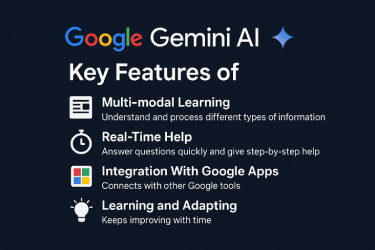
1. Multi-modal Learning
Google Gemini AI can understand and process different types of information. It can work with text, images, code, and even sound. This means you can upload a picture, ask a question about it, and Gemini will explain it in simple words.
2. Real-Time Help
Gemini can answer questions quickly and give step-by-step help. You can use it while writing, learning, or doing research. For example, if you are studying a science topic, you can ask Gemini to explain each part one by one.
3. Integration With Google Apps
Gemini connects with other Google tools. It can work inside Gmail, Docs, Sheets, and even YouTube. You can ask Gemini to help you write an email, make a chart, or summarize a video. This saves time and makes work easy.
4. Learning and Adapting
Gemini keeps improving with time. It learns from the way people use it. The more questions users ask, the smarter it becomes. It also checks its answers and updates them when new facts appear.
5. Simple Interface
Google designed Gemini with a clean and easy interface. Anyone can use it without special training. You just type or speak your question, and Gemini does the rest.
How Google Gemini AI Helps in Daily Life
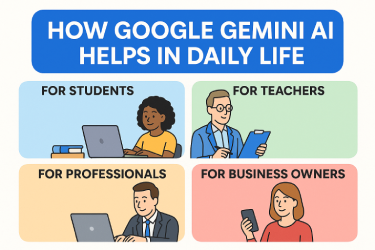
For Students
Students can use Google Gemini AI to study faster and smarter. If you do not understand a topic, you can ask Gemini to explain it. It can give simple definitions, examples, and even short notes.
For example, if you are learning about the solar system, you can ask, “Explain planets in easy words.” Gemini will give a clear answer that even a young student can understand.
For Teachers
Teachers can use Gemini to make lesson plans, write questions, and create notes. It saves time and gives creative ideas. If a teacher needs to make a quiz, Gemini can make it in seconds.
For Professionals
People who work in offices can use Gemini to write emails, create reports, and summarize long documents. For example, if you have a 10-page report, you can ask Gemini to give a short summary.
For Business Owners
Business owners can use Gemini to write ads, plan marketing ideas, and study trends. It can analyze data and show what customers like most. This helps businesses make better decisions.
For General Users
Anyone can use Google Gemini AI to learn something new or solve small problems. You can ask for cooking recipes, fitness tips, or travel advice. Gemini will give you short and helpful answers.
Real-Life Example
Let us look at a simple example.
Ali is a college student who struggles to write essays. He often spends hours searching for ideas. One day, he starts using Google Gemini AI. He types, “Write an essay on clean energy in simple words.”
Within seconds, Gemini gives him a clear, short essay that he can use as a guide. It also explains key points about solar and wind energy. Ali learns faster and improves his writing skills.
This shows how Gemini can save time and make learning enjoyable.
How Google Gemini AI Is Different From ChatGPT
Many people compare Google Gemini AI with ChatGPT. Both are smart tools, but they have some differences.
- ChatGPT mainly works with text. Gemini works with text, images, and voice.
- ChatGPT is made by OpenAI. Gemini is made by Google.
- Gemini connects better with Google apps like Docs and Gmail.
- Gemini uses real-time search to give up-to-date answers.
These differences make Gemini more useful for people who use Google’s tools daily.
Advantages of Google Gemini AI
- Easy to Use
Anyone can use Gemini without special knowledge. - Saves Time
It can finish tasks in seconds that take humans hours. - Accurate Information
It uses Google’s huge database to give correct answers. - Creative Ideas
It helps writers, students, and businesses think of new ideas. - Supports Many Languages Gemini can understand and translate many languages, which helps global users.
Limitations of Google Gemini AI
Even though Gemini is smart, it still has some limits.
- It sometimes gives wrong answers if data is unclear.
- It cannot fully replace human creativity.
- It depends on the internet for real-time updates.
- Some features may not be free for all users.
These limits show that AI is powerful but not perfect. Users should still check the facts before using any AI-generated content.
Tips to Use Google Gemini AI Better
- Ask Clear Questions
When you ask clear and simple questions, Gemini gives better answers. - Use It for Ideas, Not Copying
Let it help you think, but always write in your own words. - Combine With Google Tools
Use it inside Google Docs, Sheets, or Slides to save time. - Check Its Answers
Always verify facts before using them in serious work. - Keep Learn-in AI is growing fast. Keep learning new features to use Gemini fully.
The Future of Google Gemini AI
Google has big plans for Gemini. In the future, it will become more powerful and helpful. It will support more languages, understand emotions, and connect with even more apps.
Gemini will not just be a chatbot. It will become a personal digital assistant for every user. You will be able to ask it to plan your day, manage your emails, and teach you new skills.
Many experts say that Gemini will play a major role in education and work. It will help students learn better and make offices more efficient. As AI grows, tools like Gemini will shape the future of technology.
Why You Should Learn Google Gemini AI
Learning to use Gemini can give you an advantage. In today’s world, people who understand AI tools are more productive. They can finish tasks faster and make better choices.
If you start using Gemini today, you will see how much it helps in writing, learning, and planning. It can be your study buddy, your writing partner, or even your daily helper.
Remember, technology is not just for experts anymore. Tools like Gemini make it simple for everyone.
Final Thoughts
Google Gemini AI is one of the most powerful and easy to use AI tools today. It helps people learn, work, and create in new ways. You do not need to be a programmer to use it. All you need is curiosity and a few minutes to explore.
Gemini is more than just a chatbot. It is a smart friend that understands you and helps you achieve more. Whether you are a student, teacher, writer, or business owner, Gemini can save your time and make your life easy.
So, start exploring Google Gemini AI today. Learn how it works, use it in your daily life, and see how it changes the way you think and work. The future belongs to those who understand and use smart tools wisely.
Frequently Asked Questions (FAQs)
1. What is Google Gemini AI?
Google Gemini AI is a smart tool made by Google that uses artificial intelligence to understand text, images, and voice. It helps users write, learn, and work faster.
2. Is Google Gemini AI free to use?
Yes, Google offers a free version with basic features. Some advanced tools may need a paid plan.
3. How is Google Gemini AI different from ChatGPT?
Gemini can handle text, pictures, and sound together. ChatGPT mostly works with text only. Gemini also connects better with Google apps like Docs and Gmail.
4. Can students use Google Gemini AI for learning?
Yes, students can use it to study, make notes, and understand topics in simple words. It helps them save time and learn better.
5. Does Google Gemini AI give real information?
Yes, it uses Google’s large database and updates often. Still, it is smart to double-check facts before using them.
6. What can I do with Google Gemini AI?
You can write blogs, emails, reports, or social media posts. You can also ask for help in learning, research, or planning tasks.
7. Does Gemini AI work on mobile phones?
Yes, you can use it on mobile through Google apps or web browsers. It works smoothly across devices.
8. Can Google Gemini AI help in business?
Yes, business owners can use it to plan ads, study data, and write better messages for customers.
9. Is my data safe with Google Gemini AI?
Google follows strict safety rules. Still, users should avoid sharing personal or private data while chatting.
10. What is the future of Google Gemini AI?
Google plans to make Gemini more advanced. It will soon support more languages, understand emotions, and connect with more Google services.




- Be Respectful
- Stay Relevant
- Stay Positive
- True Feedback
- Encourage Discussion
- Avoid Spamming
- No Fake News
- Don't Copy-Paste
- No Personal Attacks
- Be Respectful
- Stay Relevant
- Stay Positive
- True Feedback
- Encourage Discussion
- Avoid Spamming
- No Fake News
- Don't Copy-Paste
- No Personal Attacks
