Wired Mouse Best Models for Home and Office Use
Published: 29 Nov 2025
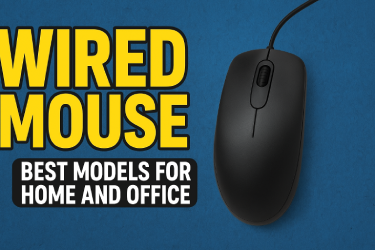
A wired mouse is one of the easiest tools to use with a computer. It helps you move the cursor, click, and select items. Whether you are working at home, doing office tasks, or even gaming, the right wired mouse makes your work faster and more comfortable.
Have you ever felt hand pain after using a mouse for hours? The right wired mouse can prevent this problem. It also gives better control and speed for daily tasks.
In this article, we will guide you to the best wired mouse models for home and office use. We will explain features, tips, and buying advice in a simple way.
Table of Contents
Why Wired Mouse is Better for Home and Office
Many people ask why a wired mouse is still used when wireless mice are popular. There are good reasons:
- Stable Connection: Wired mice do not lag. Your cursor moves exactly as you move the mouse.
- No Batteries Needed: You do not need to charge. Plug it in and start using.
- Affordable: Wired mice usually cost less than wireless ones.
- Durable: They last long and have fewer technical problems.
For example, in offices where employees work for many hours, a wired mouse keeps the workflow smooth. You do not need to worry about a low battery or connection drops.
Features to Look for in a Wired Mouse
Choosing a wired mouse is not just about the brand. Look for these features to get the best experience:
1. Comfortable Design
A wired mouse should fit your hand. If the mouse is too small or too big, it can cause hand or wrist pain. Ergonomic design is especially important for office use.
2. DPI Settings
DPI stands for dots per inch. It measures how fast your cursor moves. Higher DPI means precise movement. For example, a DPI of 1000 is good for browsing, while 2000 or more is better for gaming or design work.
3. Extra Buttons
Some wired mice have extra buttons for shortcuts. You can use them to copy, paste, or open apps quickly. This saves time at work.
4. Strong Build
A strong mouse lasts longer. Cheap mice can break easily after a few months. Look for a mouse made with good quality plastic and smooth buttons.
5. Compatibility
Make sure your mouse works with your computer. Most wired mice work with Windows, Mac, and Linux. Always check before buying.
Best Wired Mouse Models for Home Use
If you use a computer at home for browsing, watching videos, or light work, these mice are great:
1. Logitech M100
- Simple and reliable
- Affordable for everyone
- Smooth cursor movement for browsing and simple work
2. HP X1000
- Comfortable grip
- Works well for long hours
- Easy plug-and-play setup
3. Dell MS116
- Lightweight and precise
- Durable for everyday home use
- Quiet clicking for a peaceful environment
4. Redragon M601
- Designed for casual gaming
- Extra buttons for shortcuts
- High precision for home office and games
Best Wired Mouse Models for Office Use
Office tasks need a mouse that is comfortable and efficient. These are top choices:
1. Logitech B100
- Ergonomic design reduces hand strain
- Reliable and precise tracking
- Good for long office hours
2. Lenovo M100
- Lightweight and smooth movement
- Affordable and durable
- Perfect for laptop and desktop use
3. Microsoft Basic Optical Mouse
- Strong and reliable
- Ideal for heavy office work
- Simple design for easy use
4. HP X500
- Comfortable for long typing sessions
- High precision for office tasks
- Durable and affordable
Tips for Using a Wired Mouse
To keep your wired mouse working well, follow these simple steps:
- Keep it Clean – Dust can slow the cursor. Clean the bottom and buttons regularly.
- Handle Carefully – Avoid pulling the cable roughly.
- Proper Storage – When not in use, keep the mouse in a safe place.
- Check Surfaces – Use the mouse on a smooth surface or mouse pad for better performance.
- Avoid Drops – Dropping can break internal parts.
For example, if your mouse cursor moves slowly, it might be dirty. Cleaning the sensor can solve this problem immediately.
How to Choose the Right Wired Mouse
Here are simple steps to pick the right wired mouse for your needs:
- Decide Your Use – Will you use it for work, gaming, or both?
- Check Comfort – Try holding the mouse to see if it fits your hand.
- Look for Features – Extra buttons, DPI, and build quality matter.
- Set a Budget – Good wired mice can cost from $10 to $50. Choose one in your price range.
- Read Reviews – Check online feedback to see if the mouse is reliable.
For home use, a simple, light mouse is enough. For office use, choose an ergonomic mouse with better build quality.
Real-Life Example
Imagine working on a report for five hours. Using a cheap mouse with a poor design can make your hand hurt. You might also click wrong buttons by mistake.
Now imagine using a Logitech B100 or Dell MS116. Your hand stays comfortable, the cursor moves smoothly, and your work is faster. This small choice improves your daily productivity a lot.
Common Problems and Solutions
Even wired mice can face problems. Here are some common issues and fixes:
- Cursor Not Moving – Check the cable connection and clean the sensor.
- Buttons Sticking – Clean around the buttons and make sure no dust is stuck.
- Slow Response – Change the DPI setting or use a mouse pad.
- Double Click Issue – Might need a replacement if the button is worn out.
Following these tips can extend your mouse life and save money.
Conclusion
A wired mouse is simple, reliable, and affordable. It works well for both home and office use. Choosing the right wired mouse can improve comfort, speed, and productivity.
Always check for comfort, DPI, extra buttons, and durability. A good mouse makes your work easier and reduces hand strain.
Do you spend long hours on a computer? Picking the right wired mouse can make your day easier and more productive.
Q1. Is a wired mouse better than a wireless mouse?
A wired mouse is often more reliable than a wireless one. It gives a stable connection with no lag. This is important if you work on spreadsheets, do design tasks, or play games where speed matters. You also do not need to charge it, so it works all the time. Wired mice are usually cheaper than wireless mice, making them a good choice for home or office use.
Example: If you are typing reports for hours, a wired mouse will not lose connection, unlike some wireless mice that can lag or stop working when the battery is low.
Q2. What DPI is good for office work?
DPI stands for dots per inch. It tells how fast your mouse moves on the screen. For normal office work like typing, browsing, and using spreadsheets, a DPI of 1000 to 1600 is enough.
If you play games or do graphic design, a higher DPI like 2000 or more gives faster and more precise control.
Tip: Many wired mice allow you to adjust DPI. You can make it slower for office tasks and faster for gaming.
Q3. Can a wired mouse work on any computer?
Most wired mice are plug-and-play, meaning they work immediately after you plug them in. They are compatible with Windows, Mac, and Linux.
However, it is always good to check compatibility before buying. Some advanced mice with extra software features may only work with Windows.
Example: Logitech or HP wired mice usually work on almost any computer.
Q4. How can I make my wired mouse last longer?
A wired mouse can last many years if you take care of it. Follow these simple tips:
Keep it clean – Dust and dirt can slow the cursor or damage the sensor.
Avoid rough handling – Do not pull the cable or drop the mouse.
Store safely – Keep it in a drawer or safe place when not in use.
Use a smooth surface – A mouse pad helps the mouse move smoothly and reduces wear.
Example: Cleaning your mouse once a month prevents sticky buttons and keeps the cursor accurate.
Q5. Are extra buttons useful?
Yes! Extra buttons are very useful for shortcuts and faster workflow. You can use them to:
Copy and paste
Open applications
Switch between tabs
Perform special commands in games
Example: If you work on Excel, you can assign a button to copy and another to paste. This saves time and reduces hand movement.






- Be Respectful
- Stay Relevant
- Stay Positive
- True Feedback
- Encourage Discussion
- Avoid Spamming
- No Fake News
- Don't Copy-Paste
- No Personal Attacks
- Be Respectful
- Stay Relevant
- Stay Positive
- True Feedback
- Encourage Discussion
- Avoid Spamming
- No Fake News
- Don't Copy-Paste
- No Personal Attacks
