What Is Computing Easy Guide for Beginners 2026
Published: 21 Feb 2026
Have you ever used a computer, laptop, or phone and wondered how it does so many things? From sending messages to watching videos or playing games, everything happens because of computing. Computers process information, solve problems, and perform tasks quickly. Even typing a message or searching for a video involves computing. This What Is Computing Easy Guide will help beginners understand how computing works in simple words and make learning easy and fun.
This What Is Computing Easy Guide will help you learn computing in simple words. You will understand the basics, types of computing, real-life examples, and step-by-step ways to use it. This guide is designed for beginners and makes learning computing easy, fun, and practical for daily life.
Table of Contents
What Is Computing ?
Computing is the process of using computers to perform tasks and solve problems. It is not just typing or playing games. Computers can store data, calculate numbers, and help people make decisions. Computing is all around us. When you use apps, watch videos, or search online, your computer is computing.
Definition:
Computing is the process of using computers to perform tasks, solve problems, and process information. It involves entering data, processing it using software and hardware, and producing results that we can use.
For example, when you search for a song on YouTube, the computer finds it and shows it to you in seconds. That is computing. It processes information quickly. Learning computing means understanding how computers work, how they process data, and how they make tasks easier. Even simple tasks like checking the weather online involve computing. This guide will explain computing in a simple way so beginners can follow without confusion.
Types of Computing
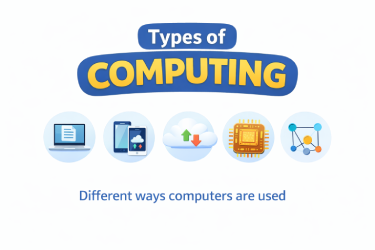
Computing means using computers, but it comes in different types. Each type has a different way of working and purpose. Here are five main types explained:
1. Personal Computing
Personal computing means using a computer for your own work. It happens at home, school, or office. Personal computers and laptops are used for personal computing. Example: Typing a Word document, completing homework, tracking a personal budget, or watching movies. In this type, the user has both hardware and software. It is best for simple everyday tasks.
2. Mobile Computing
Mobile computing means using smartphones and tablets. It uses apps and the internet, and you can access data anytime, anywhere. Example: Sending messages on WhatsApp, watching YouTube videos, using Maps or GPS, and shopping online. Mobile computing is flexible and lets you work even while traveling.
3. Cloud Computing
Cloud computing stores data and software on the internet, and you can access them online. You do not need to install everything on your computer. Example: Saving files on Google Drive, sharing documents on Dropbox, or using online games and apps. It is convenient, safe, and works on multiple devices.
4. Supercomputing
Supercomputing means using very powerful computers. They are extremely fast and can do complex calculations normal computers cannot. Example: Weather forecasting, scientific research, space exploration, and large simulations. Supercomputers are used by research institutes and industries, and they are very advanced.
5. Distributed Computing
Distributed computing divides one task among multiple computers. These computers are connected through a network and work together to solve problems. Example: Bitcoin mining, processing large data, and online multiplayer games. This type is used in big projects and large organizations where data and tasks are very large.
Latest Technologies in Computing
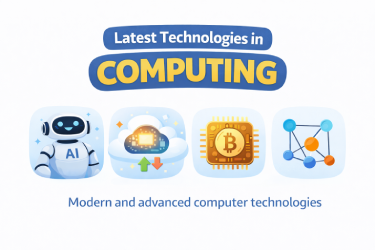
The world of computing is changing every day. New tools, apps, and methods are making technology faster and easier to use. Latest technologies are making computing smarter and more useful. If you are a beginner, it is helpful to understand which technologies are important for daily life and future jobs.
1. Artificial Intelligence (AI)
AI makes computers smart. It helps machines learn and make decisions. Example: Google Assistant or Siri understands your questions and gives answers. AI is used in daily apps and websites, like YouTube recommendations or online shopping suggestions.
2. Cloud Computing
Cloud computing stores data and software on the internet, and you can access it online. Example: Google Drive, Dropbox, and online office tools. This technology is convenient for beginners because you do not need to install everything on your computer.
3. Edge Computing
Edge computing means processing data near its source instead of a central server. Example: Smart cameras and self-driving cars make instant decisions using edge computing. It provides fast and reliable computing.
4. Quantum Computing
Quantum computing is very advanced and fast. It can solve complex problems that normal computers cannot. Example: Research institutes and scientists use quantum computing for science, medicine, and space exploration.
5. Internet of Things (IoT)
IoT connects everyday devices to the internet so they can share data. Example: Smart lights, smartwatches, and home security cameras. IoT makes daily computing simple and automated.
These technologies make computing faster, efficient, and user-friendly. For beginners, understanding them helps know which tools and apps will be important in the future.
What Is Cloud Computing
Cloud computing means using the internet to store and access data and software. You do not need to install everything on your computer. You can save files, use apps, and run programs online from anywhere. It is a modern and convenient way of computing.
Examples:
- Saving documents on Google Drive and accessing them from a laptop or phone.
- Sharing files on Dropbox.
- Playing online games or using apps that run on the internet.
Cloud computing is safe and flexible. You can use your data on multiple devices. It is useful for beginners and businesses alike. Companies use cloud computing to store large amounts of data and allow employees to work remotely.
In simple words: Cloud computing is using the internet to do computing, store information, and access apps without installing everything on your computer.
What Are Compute Resources
Compute resources are the parts of a computer or system that help it process data and run programs. They include the hardware and software that make computing possible. Basically, compute resources are what a computer uses to do work quickly and efficiently.
Main examples of compute resources:
- CPU (Central Processing Unit): This is the brain of the computer. It processes instructions and performs calculations.
- RAM (Memory): This stores data temporarily while the computer is running tasks. It helps programs work faster.
- Storage: Hard drives or SSDs store files and programs for long-term use.
- Network: Internet or local network connections allow computers to communicate and share data.
Example in real life: When you open a video on YouTube, the CPU processes the video, RAM helps load it quickly, storage may save temporary files, and the network brings the video from the server to your device. All these are compute resources working together.
In simple words: Compute resources are the tools inside a computer that help it think, work, and do tasks efficiently.
Final Thought
Computing is everywhere in our daily life. From phones and laptops to online apps, it helps us work faster, solve problems, and make life easier. Learning computing may feel difficult at first, but with this What Is Computing Easy Guide, beginners can understand it step by step. This guide explains basics, types, tools, and real-life examples in simple words.
By practicing and exploring computing every day, you can become confident in using technology. Cloud computing, AI, mobile apps, and other modern technologies make computing smarter and more useful. Start small, learn slowly, and use this guide to understand the power of computing. Understanding computing opens doors to better learning, jobs, and opportunities in the future.
FAQs for What Is Computing Easy Guide
1. What is computing?
Computing is using a computer to do tasks, solve problems, and process information.
2. Who can use computing?
Anyone can use computing. Beginners, students, and professionals all use computers daily.
3. What is the purpose of computing?
The purpose of computing is to make work faster, save data, and solve problems efficiently.
4. What is cloud computing?
Cloud computing stores data and software on the internet so you can access it anywhere.
5. What are the types of computing?
The main types are personal computing, mobile computing, cloud computing, supercomputing, and distributed computing.
6. Why is computing important for beginners?
Computing helps beginners understand technology, complete tasks quickly, and prepare for future jobs.
7. What are compute resources?
Compute resources are parts of a computer like CPU, RAM, storage, and network that help it work.
8. How does AI relate to computing?
AI is a computing technology that helps computers learn, make decisions, and perform smart tasks.
9. Can I learn computing easily?
Yes. This What Is Computing Easy Guide explains computing in simple words for beginners.
10. How does this guide help me?
This guide shows basics, types, examples, and tips so beginners can understand computing step by step.


- Be Respectful
- Stay Relevant
- Stay Positive
- True Feedback
- Encourage Discussion
- Avoid Spamming
- No Fake News
- Don't Copy-Paste
- No Personal Attacks
- Be Respectful
- Stay Relevant
- Stay Positive
- True Feedback
- Encourage Discussion
- Avoid Spamming
- No Fake News
- Don't Copy-Paste
- No Personal Attacks
